
Financial reporting for SMEs & corporate groups
Die Financial Management Suite (FMS) von loyos wurde entwickelt, um Schnelligkeit, konsistente Daten und Flexibilität im Finanzreporting zu vereinen. Als Software-as-a-Service Tool bieten wir umfangreiche Betreuung und Beratung individuell für jeden Kunden.
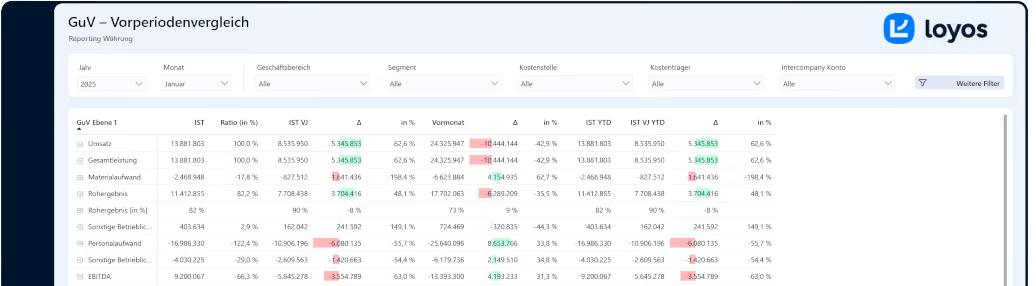










The revolution for your financial reporting

Reporting and Analytics

Planning & Forecasting
Consolidation
Interfaces
Further modules
Individual Developments
Are you curious? Click through!
Deine Reporting Vorteile bei loyos auf einen Blick
With the Financial Management Suite, you can get started with fully functional reporting in less than two weeks. Over 25 standard reports are available immediately, while systems like DATEV, SAP, Sage, and LucaNet integrate seamlessly. Your data remains secure at all times – thanks to GDPR-compliant hosting in the EU – and you benefit from personal support from experienced team members. Finance -Experts.
Book a demo now and experience how easy professional financial reporting can be.
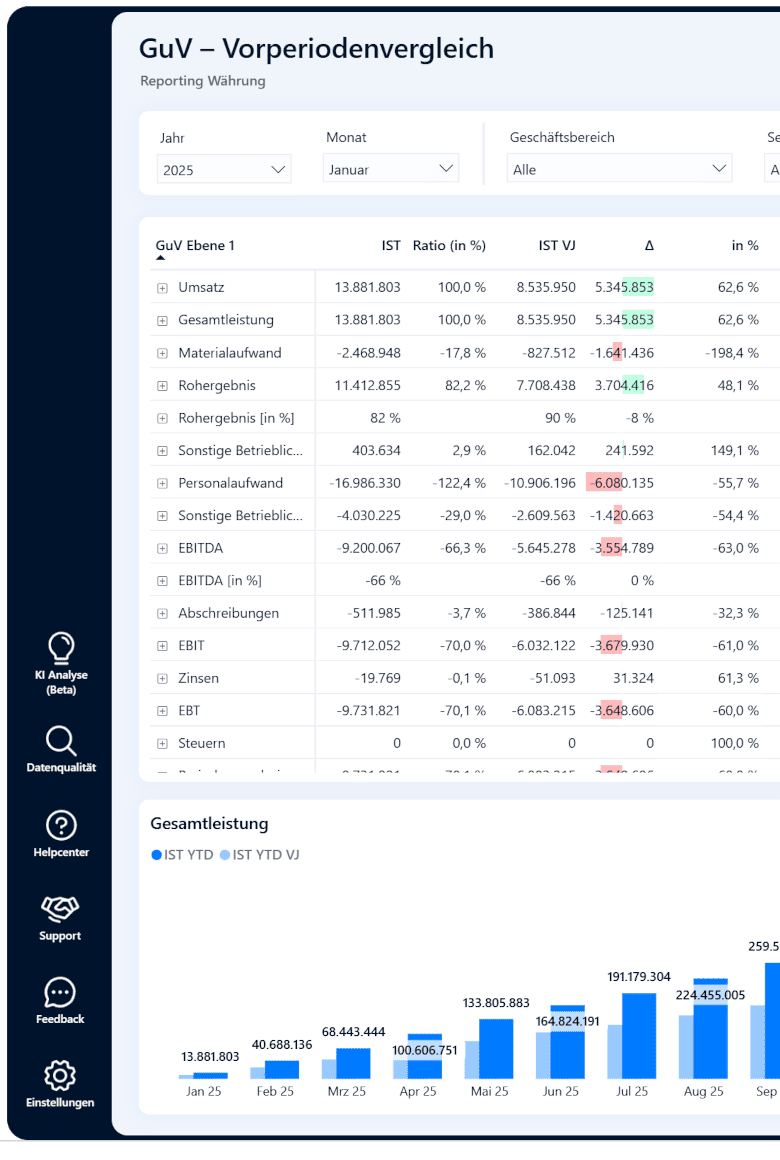
Wie hilft dir loyos beim Reporting?
Many companies waste valuable time week after week because financial data from various systems is manually compiled and processed in Excel. Errors creep in, reports are delayed, and investors, banks, or management lack an up-to-date overview.
With the reporting and analytics functions in the Financial Management Suite, these problems are a thing of the past. All relevant data is available in real time in clear dashboards and standard reports – from profit and loss statements and balance sheets to individual KPIs.
- Standard reports available immediately
- Dynamic dashboards
- Individual KPIs
- Group consolidation
- Real-time transparency
- Investor and bank-ready
Welche Möglichkeiten zur Planung und Forecasting bietet die FMS?
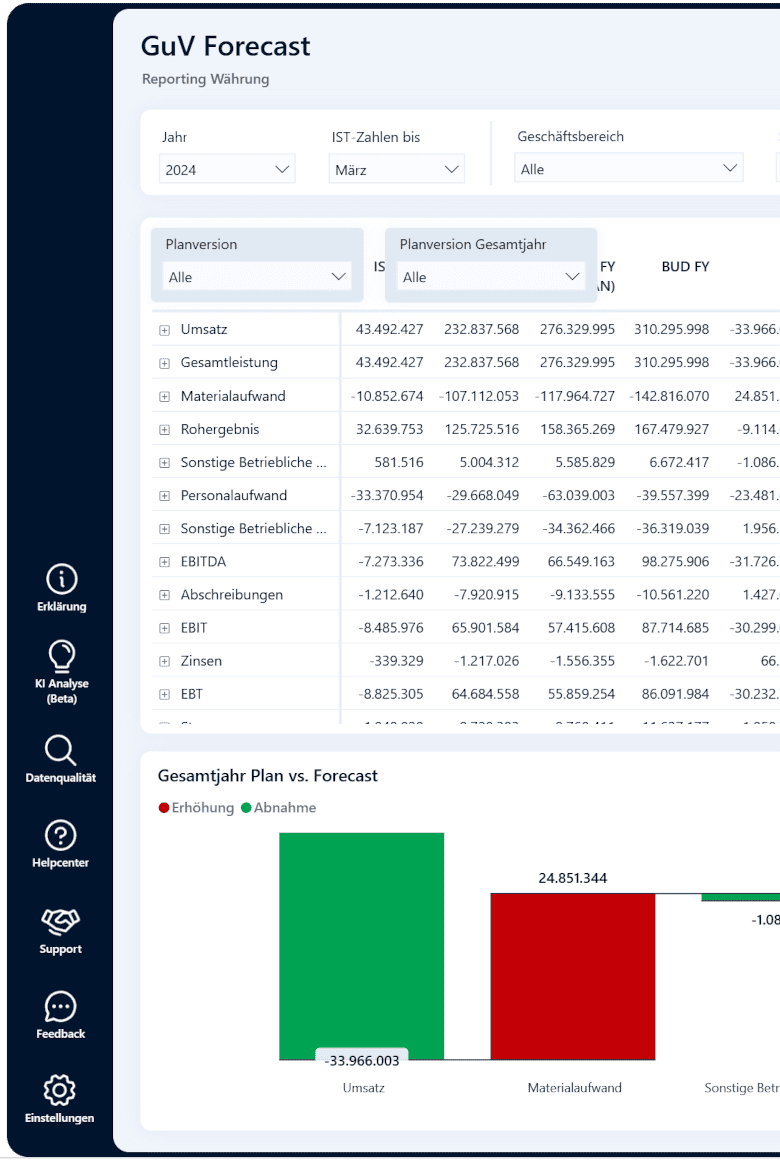
Financial planning thrives on speed and accuracy. When budgets, forecasts, and scenarios are maintained in disparate files, time, transparency, and trust in the figures are lost. The Financial Management Suite (FMS) solves this problem by combining planning and reporting in a single system.
All planned values are centrally integrated, automatically compared with current actual data, and clearly visualized. Forecasts can be updated at the touch of a button, and scenarios can be run through in minutes. This makes financial planning not only faster but also more consistent.
- Everything at a glance
- Forecasts at the touch of a button
- Scenario calculations
- Clear comparison of planned versus actual results
- Consistent database
- Time savings for finance teams
Konsolidierung von Unternehmenszahlen mit loyos
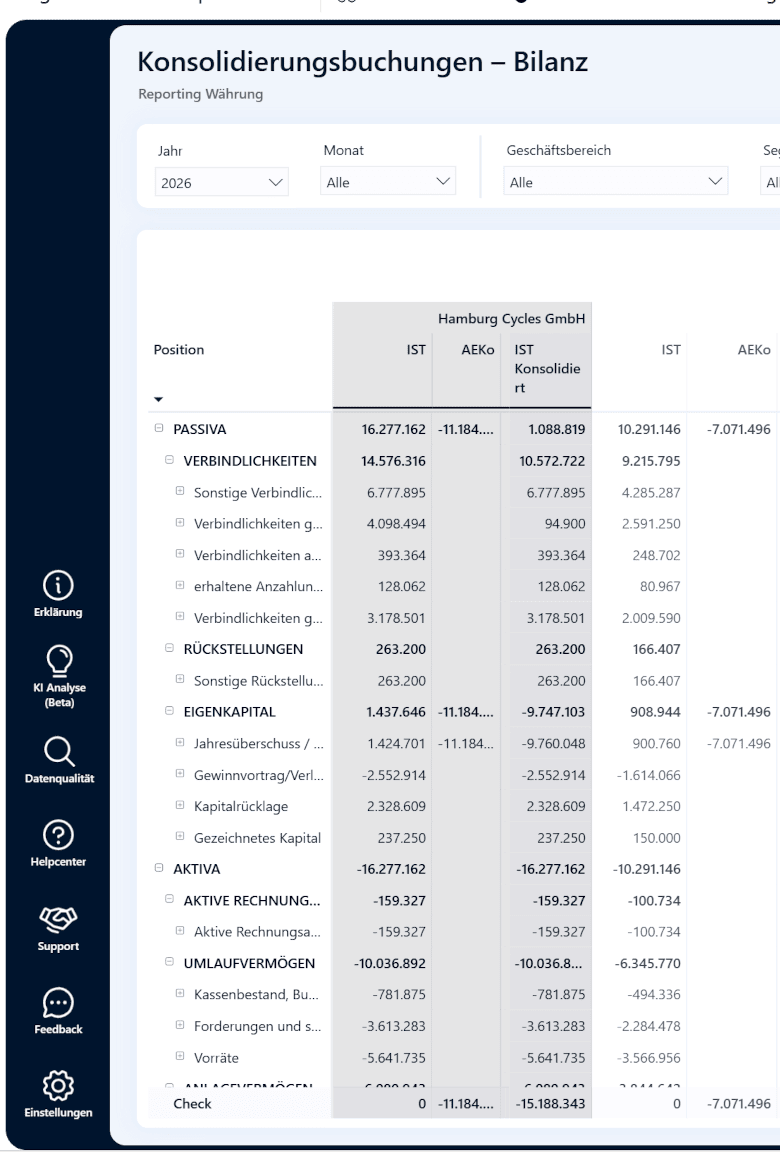
Companies with multiple subsidiaries are familiar with this problem: Each subsidiary operates with its own chart of accounts, different accounting systems, and sometimes even in different currencies. For the consolidated financial statements, this data must be merged and manually reconciled. This costs the accounting department time and almost inevitably leads to errors.
The Financial Management Suite automates consolidation. Intercompany relationships are automatically eliminated, currency conversions are standardized, and the entire process is transparently documented. This results in consistent consolidated financial statements.
- Efficient intercompany reconciliation
- Multi-currency capability
- Flexible chart of accounts mappings
- Consistent consolidated financial statements
- Transparency for auditors and investors
- Relief for the finance department
Mögliche Schnittstellen zur Anbindung an loyos
DATEV, SAP, Sage, LucaNet, Excel, bank APIs – companies use a multitude of systems that generate financial data. However, this data is stored in different formats and must be manually prepared on a regular basis in order to use it in reporting.
The Financial Management Suite provides a solution! It connects all your source systems into a central reporting system. Your accounting, ERP, and banking data are automatically integrated, harmonized, and visualized via interfaces. This creates a complete, consistent overview of all companies, data sources, and financial key figures in one system – up-to-date, transparent, and without manual intervention.
You can find a selection of all possible interfaces here .

SAP & ERP

DATEV

Lucanet

Lexware

Sage

Microsoft Dynamics 365 Business Central

Intuit QuickBooks

Flexibility for additional interfaces

Other accounting systems

Bank APIs

Excel & CSV
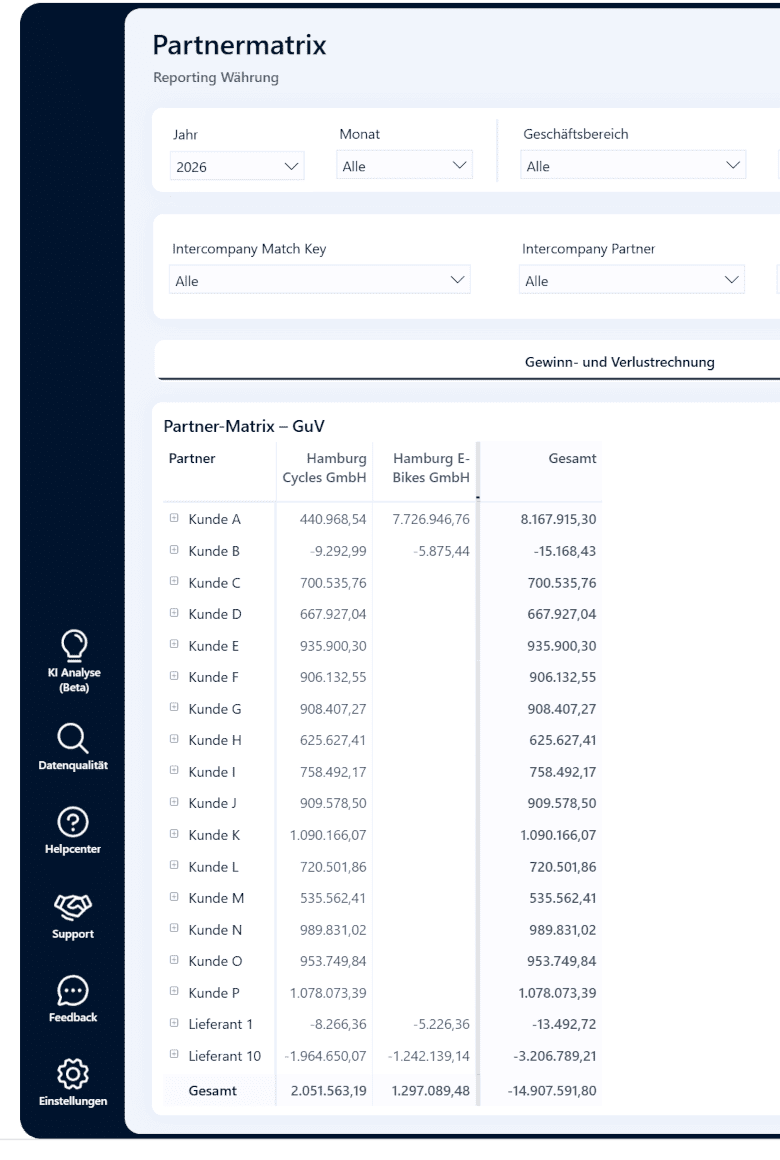
Welche Erweiterungen können zur FMS dazugebucht werden?
The Financial Management Suite already covers the core requirements of finance departments with its reporting, planning, consolidation, and interfaces. However, private equity investors and CFOs in medium-sized businesses often have very specific additional requirements – from portfolio dashboards to customized KPI extensions.
FMS offers additional features specifically tailored to these requirements.
- PE cockpit
- Cash flow & working capital analyses
- Customer and supplier analyses
- Extended KPI setups
- Custom Dashboards
Individualentwicklungen für deine ganz besonderen Anforderungen
Every company has its own specific requirements for financial reporting and controlling. Standard reports are often insufficient because certain KPIs, structures, or processes need to be mapped individually. Many controllers currently solve this cumbersomely with lengthy Excel spreadsheets – a method that is prone to errors and very time-consuming.
This is much easier with the Financial Management Suite: In addition to the standard features, individual reports, dashboards and interfaces can be developed for you – precisely tailored to the needs of your company, without lengthy IT projects.
- Individual KPIs
- Custom Dashboards
- Unique structures
- Customized interfaces
- Corporate Design
- Agile implementation
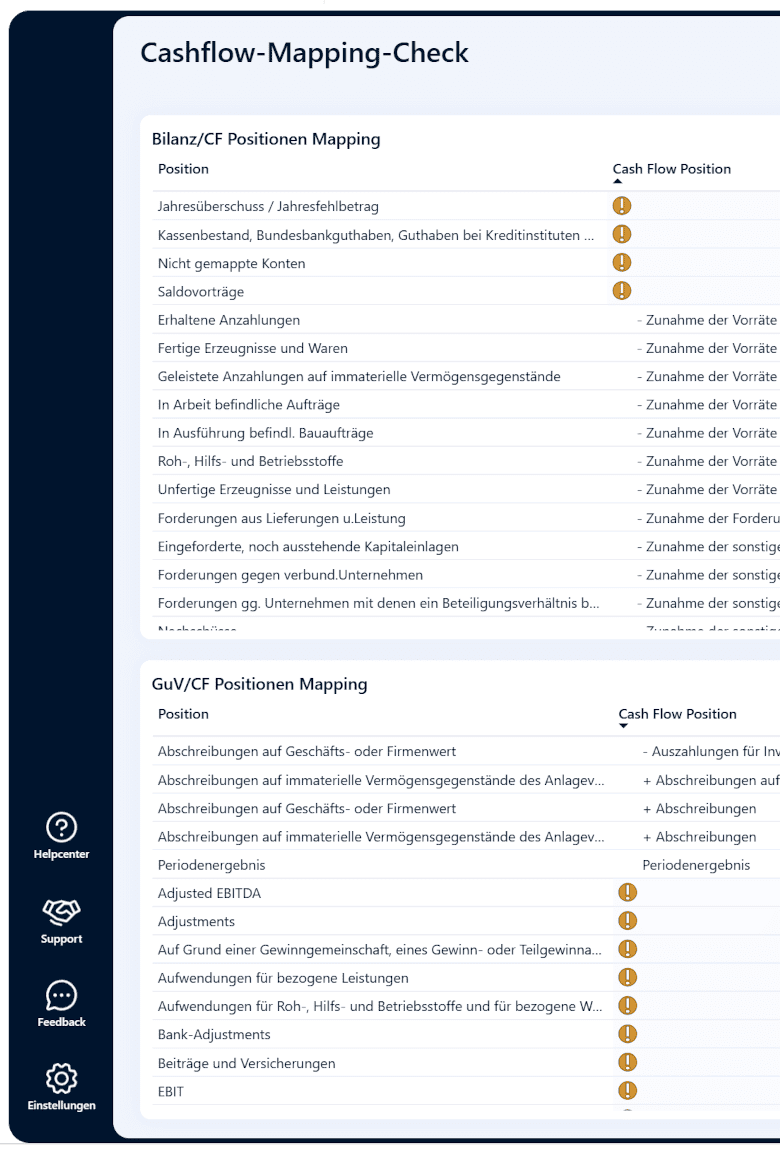
Answers to your questions
In this section you will find the most frequently asked questions about the Financial Management Suite (FMS) – answered concisely and to the point.

How does the integration of the portfolio companies work?
FMS accepts data from all common accounting systems – from DATEV and SAP to Excel spreadsheets.
How is comparability between the companies established?
FMS automatically harmonizes charts of accounts, structures and currencies in a consistent financial reporting system.
How quickly can new investments be integrated?
Usually within a few days – the FMS is modular and flexibly expandable.
Which KPIs are particularly relevant for Private Equity?
Profit and loss statement, balance sheet, cash flow, net debt, working capital, and portfolio-specific KPIs such as performance comparisons.
How exactly do PE Investors benefit?
You save a massive amount of time, receive a complete portfolio overview at all times, and meet the highest requirements for reporting quality.

Financial Management Suite
FMS: The solution for SMEs, Private Equity Firms and Tax Advisors
The Financial Management Suite (FMS) from loyos is the reporting solution for demanding medium-sized businesses, private equity firms, and tax consultancies that rely on dependable figures. It combines consolidation, planning, and forecasting with over 25 standard reports on profit and loss, balance sheet, and cash flow – all at the touch of a button.
With FMS, financial reporting becomes scalable, efficient, and transparent. All relevant data is centrally available – from the group overview down to the individual booking level. Thanks to seamless interfaces, systems such as DATEV, SAP, Sage, LucaNet, or even Excel and CSV files can be easily integrated.
Efficiency, transparency and flexibility in one system
Instead of struggling through manual Excel spreadsheets, FMS delivers validated, consistent analyses in interactive dashboards. Heterogeneous companies, different charts of accounts, currencies, or evaluation structures – everything is brought together in a central report.
The solution offers complete flexibility: In addition to planning, forecasts, and consolidation, features such as a PE cockpit, customizable KPIs, and many more are available. All key figures can be flexibly filtered, compared, and analyzed down to the company or cost center level – for maximum transparency.
Ready to go in no time – with support from Finance -professionals
Getting started with FMS is quick: The system is ready for use in less than two weeks, and the average effort on the customer's side is only one hour.
And should support ever be needed, experienced help is available. Finance-Professionals at your side who know the requirements of investors, banks and management.
The FMS contract can be cancelled monthly. Theoretically. In practice, this almost never happens – and frankly, we're very happy about that. Customers appreciate this combination of efficiency, transparency, and service – and remain loyal to FMS in the long term.